

 Loading...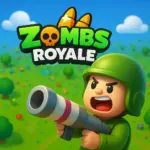






Table of Contents
- Play Zombs Royale Online for Free
- About the Game
- Development and Popularity
- Game Details
- Gameplay Overview
- How to Play
- Features
- Tips for Success
- Graphics, Design, and Online Play
- Levels and Fair Play
- How to Play Zombs Royale
- Game Modes
- Weapons and Health
- Cosmetics
- Main Features
- Controls
- Pros and Cons
- Why Kids Love Zombs Royale
- Easy Accessibility
- Kid-Friendly Appeal
- Games Similar to Zombs Royale
- Genre and Categories
- FAQs
- Where You Can Play Zombs Royale
- Download Zombs Royale
- Conclusion
Play Zombs Royale Online for Free and jump straight into a bright, action-packed world where every round is a fresh battle for survival. In this fast-moving Zombs Royale io adventure, you’ll parachute onto the map, search for powerful gear, and face players from all over the world as you try to become the last one standing. The simple controls, colorful visuals, and quick match times make it perfect for kids and beginners who love exciting, easy-to-play games. Whether you’re enjoying Zombs Royale unblocked, trying it at school, or exploring new strategies without relying on Zombs Royale hacks, each match is filled with surprises and nonstop fun.
About the Game
Zombs Royale places players on a shrinking island where quick decisions and fast reactions are the keys to victory. After jumping from a plane, you’ll explore the map, open loot crates, and collect weapons, ammo, and healing items while battling up to 99 other players...
Development and Popularity
Created by developers Yang and Jeremiah under End Game, Zombs Royale takes inspiration from major battle royale titles like PUBG and Fortnite but adapts their ideas into a simple, colorful 2D style that’s easy for kids to enjoy. By 2024, the game had surpassed 120 million downloads across all platforms. Players can unlock a wide variety of cosmetics using in-game coins, allowing them to personalize their characters and stand out in every match. With short rounds, approachable mechanics, and no heavy violence, the game is considered kid-friendly and even helps build quick decision-making skills.
Game Details:
- Fast-paced 2D battle royale with up to 100 players per match
- Game modes include Solo, Duos, Squads, and rotating limited-time modes
- Features a shrinking safe zone enforced by poisonous gas
- Loot crates contain weapons, ammo, shields, and healing items
- Simple controls and bright graphics suitable for younger players
- Cosmetics can be unlocked using in-game coins
- Cross-platform play available on browser, mobile, and other supported devices
- Encourages strategic thinking and fast reactions without intense violence
Gameplay Overview
Zombs Royale drops players into a fast-paced battle where up to 100 competitors parachute onto a large map filled with weapons, shields, and useful items. As soon as you land, you must gather gear, survive the shrinking poisonous gas zone, and outsmart every other player until only one survivor or one team remains. You’ll find everything from basic firearms and grenades to rare mythic gear, with matches lasting around five minutes. You can play Solo, Duos, Squads, or jump into special limited- time modes like Zombies or Weapons Race. The controls are simple: move with WASD or arrow keys, aim with your mouse, left-click to shoot, and press E or Spacebar to interact, with customizable keybinds available for even faster gameplay.
How to Play
Jump from the plane, choose a safe landing spot, and start looting buildings and crates for powerful weapons like snipers, ARs, and pump shotguns. Always stay ahead of the shrinking gas zone, use medkits and shields when needed, and rely on smart movement and cover to survive intense battles. Matches end when the last player or team remains, and using clever tricks like combining impulse grenades with your shots can give you a big advantage. Special modes such as Zombies bring extra excitement by adding undead enemies or unique gameplay challenges.
Features
- Real-time battles with up to 100 players
- Mythic and epic weapon drops
- Tons of cosmetics, emotes, sprays, and backpacks
- Cross-platform play on web, PC, iOS, and Android
- Bright 2D visuals with smooth performance
- Short, action-filled matches
Tips for Success
- Land on the outskirts for safer early loot
- Strafe while shooting to dodge attacks
- Peek around doors and corners for safe shots
- Use grenades and impulse items creatively
- Stay ahead of the gas zone during endgame
- Communicate with teammates in Duos or Squads
- Customize keybinds for faster reactions
- Practice aiming and grenade combos to improve
Graphics, Design, and Online Play
Zombs Royale uses bright 2D graphics and smooth animations that run well on browsers and mobile devices, with maps full of colorful areas, destructible objects, and a simple interface that young players can easily understand. The game is fully online with real-time multiplayer across PC, iOS, and Android, offering fair, responsive gameplay thanks to low ping, and it avoids heavy violence to keep the experience kid-friendly and strategy-focused.
Levels and Fair Play
Instead of leveling systems, Zombs Royale focuses entirely on skill-based gameplay, allowing players to unlock cosmetic items without gaining any advantage over others. Cheating through aimbots or hacks is against the rules, can lead to bans, and takes away from the fun, so fair play and smart strategies are the best path to victory.
How to Play Zombs Royale
Game Modes
- Solo – Play alone
- Duos – Team up with one partner
- Squads – Four-player team battles
- Limited-Time Modes – Special rotating events, including Zombie Royale
Weapons and Health
Weapons and supplies appear all over the map, and you can collect them by opening chests and walking over items, with gear ranging from common weapons to highly desired mythic items that often attract challengers.
Cosmetics
Players can customize their character with a wide selection of outfits, emotes, sprays, melee skins, and backpacks, giving everyone a chance to express their style even though cosmetics do not affect gameplay.
Main Features
- Huge 100-player battlegrounds
- Tons of loot to discover
- Customizable cosmetic options
- Fast-paced, action-packed gameplay
Controls
- WASD or Arrow Keys – Move
- M or Tab – View map
- E – Interact
- Left Click – Shoot
- Right Click – Emote menu
- R – Reload
Pros
- Fast matches with up to 100 players
- Clear visuals and easy controls
- Fun rotating modes and seasonal events
- Cross-platform play and an active community
Cons
- Matchmaking can feel uneven at times
- Limited long-term depth for competitive players
Why Kids Love Zombs Royale
Kids enjoy Zombs Royale because it combines simple controls, fast five-minute matches, and colorful 2D graphics that keep the action exciting without adding any scary or realistic violence. The game feels welcoming, playful, and far less intimidating than many 3D battle royale titles, making it a great choice for younger players who want to jump into quick, fun battles.
Easy Accessibility
Zombs Royale is extremely easy for kids to start playing. The familiar WASD movement keys and simple mouse aiming let players begin instantly, whether they’re on a computer, phone, or tablet. There’s no complicated learning curve—kids can parachute in, open shiny loot crates, and start battling right away. Cross-platform multiplayer also lets friends team up in squads, helping them build teamwork, confidence, and skills through practice instead of long grinding sessions.
What Makes It Easy to Play:
- Simple controls (WASD + mouse aim)
- Works on browsers, phones, and tablets
- No long tutorials or complex mechanics
- Instant action after landing
- Cross-platform play for teaming up with friends
Kid-Friendly Appeal
The game’s bright pixel art and top-down view keep the experience lighthearted and focused on strategy, teamwork, and clever peeking rather than graphic combat. Suitable for ages 7 and up, Zombs Royale helps young players develop quick reflexes, decision-making skills, and better spatial awareness.
Why Parents Approve:
- No gore or realistic violence
- Friendly, competitive gameplay
- Low toxicity compared to many online games
- Encourages teamwork and communication
- Helps build strategic thinking and hand-eye coordination
Games Similar to Zombs Royale
Build Royale - A 2D battle royale game that combines shooting and building. Players gather weapons, build defenses, and compete to be the last one standing, making it perfect for fans of strategy and survival games.
Snowball.io - A fun and competitive .io game where players roll snowballs and knock opponents off the map. Its easy gameplay, colorful visuals, and quick rounds make it a great choice for kids.
MineFun.io - A multiplayer .io-style game focused on exploration and competition. It’s easy to play, social, and ideal for players who enjoy simple browser games with other players online.
Genre and Categories
- Battle Royale – Fast-paced survival gameplay where players compete to be the last one standing.
- .io Multiplayer Game – Simple controls, quick matches, and real-time online battles.
- Kids’ Action Game – Bright visuals and friendly design suitable for young players.
- Survival Shooter – Collect loot, outplay opponents, and stay safe as the map shrinks.
FAQs
Is Zombs Royale free to play?
Yes, it’s completely free on browsers, iOS, and Android.
What are the basic controls?
Use WASD or arrow keys to move, the mouse to aim and shoot, and E or Space to interact or reload.
How long are matches?
Each match lasts about five minutes.
Can I play with friends?
Yes, you can team up in Duos or Squads using party invites.
What modes are available?
Solo, Duos, Squads, and rotating modes like Zombies, Weapons Race, and Capture the Flag.
How do I get cosmetics?
Earn coins from playing and use them to unlock skins, emotes, and backpacks.
Is it available offline?
No, the game requires an internet connection.
Are cheats allowed?
No, using hacks can result in a ban.
Where You Can Play Zombs Royale
Zombs Royale is easy to play on almost any device. You can jump into the game instantly through your web browser at zombsroyale.io, or download it on Android from Google Play, on iOS from the App Store, and on Windows PC through the Microsoft Store. All versions support cross-play, so kids can team up with friends even if they are using different devices.
Download Zombs Royale
Many players prefer downloading the game for smoother performance and quicker access. Here’s how to install it safely from official stores:
Android: Open the Google Play Store, search for “Zombs Royale,” and tap Install.
iOS: Go to the App Store, search for “Zombs Royale,” and tap Get.
Windows PC: Open the Microsoft Store, search for “Zombs Royale,” and click Install.
Important: APK downloads from third-party websites like Uptodown or Aptoide can be unsafe. For the best experience, always download the game from official stores. There is no dedicated macOS app, but the browser version works very well on Mac.
Conclusion
Zombs Royale continues to be one of the most accessible and exciting 2D battle royale games available today. Its simple controls, colorful graphics, and fast-paced gameplay make it perfect for kids, beginners, and anyone looking for quick, action-packed matches. With cross-platform support, fun limited-time modes, and tons of cosmetic customization options, the game encourages creativity, teamwork, and strategic thinking without stressful mechanics or intense violence. Whether you're dropping in for a casual match or teaming up with friends, Zombs Royale delivers endless replayability and a friendly community that keeps players coming back for more.