

 Loading...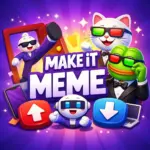










Play Make it Meme Online for Free. Make It Meme is a hilarious online multiplayer party game where you and your friends create memes together. In each round, everyone gets a random meme template and races to write the funniest caption before time runs out. Then, players vote on their favorites and award “Meme-Buddy” points to the captions that make them laugh the most. Created by Prealpha, this free game captures the best part of meme culture quick jokes, silly surprises, and friendly competition. It’s perfect for game nights, livestreams, or a quick laugh during a break.
Game Origin
Make It Meme was created by Sandro Wahl an IT consultant with a computer science background, not a “traditional” game developer. He first built the game to make his friends laugh, using a simple idea: everyone gets a meme, writes a caption, and then votes for the funniest one. Sandro worked on it solo for about a year, using multiplayer tools such as the Colyseus framework to keep games running smoothly. In the beginning, it was a private, password-protected website. After he opened it to more players, it spread quickly through word of mouth and TikTok.
Developer Background
After leaving his consulting job, Sandro founded PreAlpha, the independent studio behind Make It Meme. His early love of Minecraft servers helped shape the game’s biggest strength: fun, community-driven play. Building servers and creating plugins taught him how to make online spaces feel lively and welcoming. As the game grew, volunteers joined in to help with translations, programming, and the technical infrastructure that keeps everything stable. Although he did not plan to monetize the game at first, it later became profitable through advertising.
Game Details
- Creator: Sandro Wahl
- Studio: PreAlpha
- Type: Online multiplayer party game
- Core Idea: Write captions for meme templates and vote for the funniest
- How It Started: Private, password-protected web game for friends
- Development Style: Built mostly solo over about a year
- Tech Used: Colyseus multiplayer framework
- How It Spread: Word of mouth and TikTok
- Monetization: Ads (added later)
- Community Support: Volunteers helped with translations and development
Gameplay
In Make It Meme, you join a room with other players, get a random meme template, and race to write the funniest caption before the timer runs out. After each round, everyone votes (anonymously) for their favorite captions, and the best memes earn the most points. The game became popular because it’s quick, silly, and perfect for laughing together. It’s also known for being available on Poki. You can unlock premium avatars by watching short ads, and future updates (including a 2.0 version) are expected to improve moderation, monetization, and social features.
How to Play Make It Meme
Getting started is easy:
- Click Play on the homepage.
- Join a public lobby, or choose Private Game to play with friends.
- Pick a game mode and set the number of rounds (usually 5–10).
- Each round gives you a random meme template and a time limit to write your caption.
- When time is up, everyone votes on the captions.
- The player with the most points at the end wins.
Most matches take about 10–20 minutes, depending on how many players are in the lobby (up to 30 players).
Controls
Make It Meme keeps the controls simple no tricky button combos required.
- Mouse / Touch: Click or tap buttons to join games, choose options, and vote.
- Keyboard: Type your caption in the text box.
- Enter: Submit your caption (and confirm actions when prompted).
- Voting: Hover over submissions (or tap them) to choose your vote.
- Host tools (room leader):
- Kick or ban players from the player list.
- Toggle options like “Leader decides when to continue.”
- Adjust settings that affect fairness, such as whether new players can join mid-game.
Features and Game Modes
Make It Meme offers different ways to play, so you can choose the style you like best:
- Normal Mode: The classic moderandom templates, write captions, then vote.
- Topics Mode: Each round has a theme to help you come up with ideas.
- Same Meme Mode: Everyone captions the same template, so creativity really stands out.
- Relaxed Mode: No points just practice and have fun without pressure.
Other features you may see:
- Family-Friendly Mode (great for younger players and streams)
- Premium avatars you can earn by watching short ads
- Private lobbies with settings you can customize for your group
Multiplayer and Design
- Supports 2–30 players in real-time lobbies.
- Public games match you with random players.
- Private games can be shared with passwords or links for friends.
- Includes spectator options, so people can watch without playing.
- The design is clean, colorful, and easy to use, with a layout that works well on both browsers and mobile devices.
Instead of levels or unlockable characters, the fun comes from what players create: your captions and the group’s votes.
Tips and Tricks to Win More Votes
Want more laughs and more points? Try these ideas:
- Use relatable jokes: “That’s so true!” captions often get lots of votes.
- Keep it short: Quick, punchy captions are easier to read and funnier.
- Try puns and wordplay: Simple clever jokes can be big winners.
- Follow trends: Popular topics and familiar jokes can help your caption stand out.
- Same Meme Mode tip: Add a surprising twist unexpected captions often win.
- Host tip: For a fair game, consider turning off mid-game joins.
- Practice in Relaxed Mode: It’s a great place to test jokes without pressure.
- Streaming tip: Bigger lobbies mean bigger laughs, and ads can unlock cosmetics without interrupting gameplay.
Make It Meme By the Numbers
As of mid-2023, the game was reported to have:
- Over 5 million registered users
- Around 500,000 daily active users
- More than 10 million memes created using the meme generator
- The community continues to grow as more players discover the game.
Main Characters in Make It Meme
Make It Meme doesn’t have main characters like story-based games. The real star is you and the memes you create. The templates often feature famous meme moments, including classics like “Distracted Boyfriend” and “Two Buttons.”
Who Is Make It Meme For? (Age, Rating, and Audience)
Make It Meme is made for players who love quick laughs, silly captions, and playing online with friends. Most fans are teens and young adults especially ages 13 to 25 because meme humor and multiplayer voting games are very popular in that age group. You’ll often see it played during Discord hangouts, game nights, and livestreams, where everyone can join in and vote for the funniest captions. While the game is mainly aimed at older kids and teens, younger players can still enjoy it with adult guidance, especially when family-friendly options are turned on to keep things more appropriate.
Age Rating
Make It Meme does not have an official ESRB or PEGI rating because it is a browser game. However, it is generally best for ages 12+. The main reason is that captions are created by players, and jokes can sometimes be a little too edgy. The game’s parent information focuses on safer play and moderation tools. It is also very different from adult meme games such as “What Do You Meme?”, which are intended for older audiences.
Player Demographics
Most daily players are teens and young adults (around 13–24), including many players under 18. The game became even more popular through viral TikTok clips and Twitch streams, helping it reach a wide online audience. Players of all genders enjoy it, and the community feels similar to other youth focused online gaming spaces.
Intended Audience
This game is a great fit for:
- Friends who want a quick, funny party game
- Discord groups looking for an easy multiplayer activity
- Public lobbies with up to 30 players
- Streamers and content creators who want viewer-friendly laughs
- Casual browser and mobile players who prefer social fun over serious competition
Top Similar Games to Make It Meme
- Disaster Arena: A chaotic multiplayer party game packed with mini-games where you dodge hazards and try to outlast everyone.
- Animals Minigame Party: A cute, kid-friendly collection of short mini-games where players compete in fun challenges with adorable animal characters.
- Tag 2: A fast tag-style game where you run around colorful maps and try not to get caught before time runs out.
Make It Meme Genre and Categories
- Genre: Multiplayer party comedy game (browser-based)
- Categories: Meme captioning, creative writing, social/voting, casual, family-friendly option (if enabled)
Make It Meme FAQs
What is Make It Meme?
Make It Meme is an online multiplayer party game where players write captions for meme templates, then vote for the funniest ones to earn points.
Do I need an account to play?
No. You can play as a guest. If you create an account, you can add friends, track stats, earn achievements, and use custom templates.
How many game modes are there?
There are four modes: Normal (random templates), Topics (themed rounds), Same Meme (everyone captions the same template), and Relaxed (no points).
How do I host a private game?
Select Private Game, share the password or link, set the number of rounds, and manage players with kick/ban options.
What are the controls?
Use your mouse (or touch) to click and vote, and your keyboard to type captions. The game works on both browser and mobile.
Can I stream Make It Meme?
Yes. Turn on Family-Friendly Mode, allow up to 30 players, and use leader-paced settings to keep rounds moving smoothly.
How does Meme Buddy work?
Meme Buddy is a helper bot that can fill empty spots in lobbies, which is useful for practice or smaller groups.
Why can’t I join mid-game?
Some hosts disable mid-game joining for fairness. Check the lobby settings, or wait for the next round or a new lobby.
Make It Meme Platforms and Download Options
Make It Meme is a free browser game, so you can start playing right away on websites like makeitmeme.com and Poki no downloads needed. There is no official Make It Meme app for Android, iOS, or PC, so the safest way to play is always through your web browser. If you see “download” links on other websites, be careful those are not official and may not be safe.
Platforms
You can play Make It Meme on:
- PC / laptop (works well in Chrome, Firefox, Safari, and other modern browsers)
- Mobile phones and tablets
The game is designed to fit different screen sizes and supports cross-platform multiplayer, so friends can join from different devices without installing anything.
Download Section (Similar Games)
Some players prefer downloadable meme party games for extra convenience. If you want a similar experience, here are safer options:
- Android: Open the Google Play Store and install Meme It!
- iOS: Visit the App Store and search for meme caption or meme generator games (Make It Meme itself is best played in a browser).
- PC: There is no official download use makeitmeme.com or create a browser shortcut for faster access.
Tip: Avoid third-party APK downloads for Make It Meme. They are not recommended and can be unsafe.
Conclusion
Make It Meme is built for fast, funny rounds where creativity matters more than complicated controls. With simple gameplay, multiple modes, and support for big lobbies, it’s an easy pick for friend groups, game nights, and streams. If younger players want to join, using family-friendly settings and adult guidance can help keep the experience more comfortable for everyone.

