

 Loading...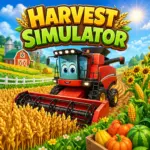











Play Harvest Simulator Online for Free and enjoy a fun farming adventure filled with colorful fields, useful upgrades, and satisfying harvests. Harvest Simulator lets you drive a bright red harvester, collect crops like corn and pumpkins, and improve your machine as you make progress. The game is easy to learn, which makes it a great choice for kids, but it also stays exciting as your farm grows bigger and better. If you enjoy cheerful graphics, smooth gameplay, and rewarding goals, Harvest Simulator is a relaxing game that makes every trip through the field feel fun. Harvest Simulator does not tell a big story with lots of characters or dramatic twists. Instead, it offers a calm and rewarding farming experience where your progress becomes the adventure. You start as a farmer with a small piece of land and a dependable tractor, then slowly turn that simple farm into a busy and successful one. As you play, you plow fields, plant crops like corn and sunflowers, care for them as they grow, and harvest them to earn money. You also need to manage your resources, handle changing weather, and upgrade your equipment at the right time. The real fun comes from watching your farm grow bigger, better, and more productive with every harvest. The browser version of Harvest Simulator, including the one available on platforms like Poki, was developed by CAMU, a studio known for making fun and easy-to-play casual games such as Fox Island Builder and Power Wash Cleanup. There is also a mobile version developed by Ant Hill Games and published by HYPERCELL SIA, with more focus on tractor driving and farm automation. Both versions are designed to be simple, relaxing, and enjoyable for a wide range of players. Rather than building the game around a complex story, the developers focus on smooth gameplay, satisfying tasks, and steady progress that keeps players coming back for more. The gameplay in Harvest Simulator is easy to understand and fun to follow. You drive through fields, gather ripe crops, and bring them back to sell for coins. Those coins help you upgrade your harvester, unlock new areas, and make your farm more productive. While the game feels calm and simple, your choices still matter. Good timing, careful movement, and smart upgrades can help you collect more and grow faster. A typical screenshot shows the red combine harvester moving through a golden wheat field, which gives the game a bright and satisfying look. Harvest Simulator uses simple controls that work well for browser gaming. To start, drive your harvester into a field and collect the crops. Once your storage is full, head back to the barn or delivery point to unload and sell what you have gathered. Use your earnings to improve your vehicle, unlock more content, and keep your farm moving forward. In Harvest Simulator, you play as a farmer working across large and colorful fields. Different parts of the farm contain different crops, including wheat, corn, sunflowers, cabbage, pumpkins, and tomatoes. Each field looks a little different, which keeps the game fresh as you continue playing. After every successful run, you can sell your harvest and use the money to make progress. Some versions also include extra farm activities, such as caring for chickens and collecting eggs. This gives the game a cozy and friendly feeling while adding more to do beyond harvesting. Many simulator games focus on speed, racing, or big challenges, but Harvest Simulator takes a calmer approach. It is all about steady progress, careful driving, and enjoying the simple rhythm of farm work. Instead of rushing, you spend your time moving through the fields, collecting crops, and improving your farm one step at a time. That slower pace makes the game especially enjoyable for players who like relaxing goals and satisfying results. The wide farmland in Harvest Simulator gives you plenty of room to explore, but it also means you need to drive carefully. You cannot just move in a straight line and expect perfect results. To collect everything, you need to think about your path and cover the field properly. Sometimes the best way to clear a field is by moving in clean rows, while other times you may need to turn carefully and adjust your route. If you miss sections, you may have to go back and waste time. This makes harvesting feel more rewarding because good driving helps you perform better. The farm includes several important places that help keep everything running smoothly. Barn or Warehouse: This is where you unload and sell your crops. Repair Area: This helps keep your harvester in good shape when needed. Wind Turbines and Farm Structures: These add life to the setting and make the world feel more complete. These locations are not just for decoration. Each one supports your progress and helps the farm feel like a real working place. Harvest Simulator includes useful on-screen tools that help you manage each run more effectively. A fill meter shows how much your harvester is carrying. When it reaches one hundred percent, it is time to return and unload. Watching this carefully helps you avoid wasted trips and keeps your harvest cycle running smoothly. As you earn coins, you can improve your machine in several ways. These upgrades make a big difference because they improve both your performance and your overall strategy. You can switch camera angles to get a wider view or a closer look while driving. You can also turn the sound on or off whenever you want. These small features make the game more comfortable and easier to enjoy. Harvest Simulator has a bright and friendly style that fits its relaxing gameplay. The fields are colorful, the crops stand out clearly, and the interface is clean and easy to understand. The 3D visuals add charm without making the screen feel too busy. Everything looks smooth and inviting, which makes the game enjoyable for both quick sessions and longer playtimes. Some versions of Harvest Simulator include different ways to play, giving you more variety as you build your farm. These modes help keep the game interesting and give players more reasons to come back. A few smart choices can help you improve faster and make each harvest more successful. Harvest Simulator does not always use traditional levels. Instead, the game rewards you by unlocking more land, harder tasks, and better farming tools as you improve. As you move forward, the jobs become more demanding, the fields become larger, and you may need to deal with tighter routes or bigger goals. This gives the game a nice sense of progress without making it feel stressful. Harvest Simulator includes many features that make the farming experience enjoyable. As you keep playing, you may discover bonus rewards tied to milestones and progress. These can include helpful improvements, better efficiency, or extra coin boosts. Checking your upgrade options often can help you spot new unlocks and make better use of your earnings. There are no official cheats for Harvest Simulator. Unofficial tools, edited saves, or browser add-ons can cause problems and may ruin your progress. The best way to enjoy the game is to rely on your own skill, smart upgrades, and careful planning. That makes every improvement feel more rewarding. Monkey Mart – A fun shop and farming game where you grow food, stock your store, and serve customers. It is simple to play, colorful, and very rewarding. Capitalist Bus Driver – A relaxing simulator game focused on upgrades, progress, and building success step by step. It is a good choice for players who enjoy steady growth and easy gameplay. Mowing Mazes – A satisfying and peaceful game where you clear grassy paths and complete simple tasks. It has smooth controls and the same kind of relaxing feel that makes Harvest Simulator enjoyable. To begin, choose a field and use your starting coins to buy seeds from the shop. Then drive your tractor over the plot to plant them. Once the crops have had time to grow, harvest them and start building your farm. The controls are simple and easy to learn. Use W or the Up Arrow to move forward, S or the Down Arrow to move backward, and A/D or the Left/Right Arrow keys to steer. Press E to change the camera view, and use your mouse to click through menus. First, prepare the field and plant your seeds. Crops such as wheat and corn grow over time, so you need to wait until they are fully ready. Once they are ready, drive your harvester through the field to collect them, then sell your crops at the market to earn coins. Yes, you can. As you earn more coins, you can unlock better tractors, stronger tools, and helpful upgrades that make farming easier. These improvements help you plant faster, harvest more efficiently, and manage larger fields. Harvest Simulator does not use traditional numbered levels. Instead, you progress by expanding your land, unlocking new crops, upgrading your equipment, and reaching important farming milestones. A smart way to start is by growing fast crops so you can earn coins quickly. It also helps to upgrade your tools early, collect daily rewards when they are available, and manage your fields carefully to keep your farm running smoothly. Harvest Simulator is mainly a single-player game. Some versions may include leaderboards or AI helpers, but it is usually designed as a solo farming experience. If your crops are not growing or harvesting properly, check whether they have finished growing first. You should also make sure the field is ready, the crops are planted correctly, and your harvester is lined up the right way. If something seems stuck, restarting the field may help fix the issue. Harvest Simulator is easy to play on different devices, which makes it a great choice for kids who want quick and relaxing farming fun. The game is mainly available as a free browser game on popular gaming websites, so you can start playing right away without downloading anything. It works well on desktop computers, mobile phones, and tablets, making it simple to enjoy at home or on the go. Some versions of the game are also available on mobile app stores, giving players even more ways to jump into the farming adventure. Many players like downloading Harvest Simulator to enjoy a smoother and more convenient experience on their devices. The process is simple and easy to follow. Open the Google Play Store, search for the game, and tap Install to download it. Go to the App Store, find the game, and tap Get to add it to your device. Harvest Simulator is usually played in a browser, but some players use a trusted Android emulator to run the mobile version on a computer. If you choose this option, make sure you only use safe and reliable sources. Harvest Simulator offers a cheerful and relaxing farming experience that is easy to enjoy and rewarding to keep playing. From driving a bright red harvester across colorful fields to upgrading your equipment and growing your farm step by step, the game turns simple tasks into satisfying progress. With friendly visuals, easy controls, and plenty of goals to work toward, it is a great choice for players who enjoy calm simulator games and fun farming adventures.Harvest Simulator Story
Game Developer
Important Game Details
Gameplay Overview
Controls and How to Play
Farm Life and Crops
Why This Simulator Feels Different
Big Fields and Smart Driving
Farm Buildings and Useful Areas
Tools and Interface Features
Load Meter
Harvester Upgrades
Camera and Sound Options
Style and Visuals
Game Modes
Tips and Tricks
Beginner Tips
Advanced Tips
Progress and Challenges
Main Features
Unlockables and Secrets
Cheats and Mods
Similar Games
Harvest Simulator FAQs
How do I start playing?
What are the basic controls?
How do crops grow and get harvested?
Can I upgrade my equipment?
Are there levels or progression?
What tips help beginners?
Is it multiplayer or single-player?
Why are my crops not growing or harvesting?
Platforms
Download Harvest Simulator
Android
iOS
PC
Conclusion

