

 Loading...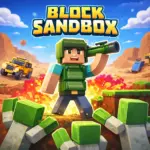






Play Block Sandbox Online for Free and enjoy a fun, creative adventure where you can build almost anything you imagine. This exciting block sandbox game lets you place blocks, create unique scenes, and test all kinds of ideas in a colorful pixel world. You can design a peaceful town, a busy construction site, or a wild action map filled with characters and surprises. With simple controls, playful physics, and endless freedom, Block Sandbox is a great choice for kids who love building, exploring, and bringing their ideas to life. Block Sandbox does not have one fixed story. Instead, it gives you the freedom to create your own fun adventures in an open sandbox world. You can build a peaceful village, set up an exciting battle, or fill the map with heroes, zombies, and other surprising characters. Every time you play, the game can feel different because your imagination decides what happens next. That is what makes Block Sandbox so much fun for kids who enjoy creativity, action, and endless building possibilities. Block Sandbox is available to play online on browser gaming websites such as Poki and ZapGames. The game does not clearly list its developer, which suggests it may have been created by indie developers who focus on simple, fun, and easy-to-play web games. While similar block sandbox titles on app stores are often linked to small studios, this online version seems to focus more on offering a free and accessible gaming experience for everyone. Block Sandbox is a fun 2D building game where you can create your own pixel world however you like. Instead of following a fixed story, the game gives you the freedom to build villages, battlefields, fantasy castles, construction sites, and much more. You can place blocks, add characters, bring in vehicles, and create scenes that feel peaceful, exciting, or full of action. Whether you want to design a simple town or a busy world packed with surprises, Block Sandbox gives you the tools to bring your ideas to life. One of the best things about Block Sandbox is the amount of freedom it gives you. You can place heroes, zombies, trucks, and other objects exactly where you want them. You can also equip characters with weapons or armor and shape the world piece by piece. From castles and roads to industrial zones and lively city scenes, there are many ways to make each creation feel special. The game is not just about building structures. It is also about adding life, movement, and creativity to every part of your world. Block Sandbox has a simple and colorful visual style that makes building easy and enjoyable. The pixel art looks clean and bright, so your creations stand out clearly on the screen. The game also includes fun physics, which means your structures can wobble, tip over, or stay standing depending on how well you build them. This makes every project more exciting because you are not only creating something new, but also testing how it works. Block Sandbox is mainly an open sandbox experience, but some versions or similar games may include extra ways to play. Free Build mode gives you unlimited freedom to create anything you want. Challenge-style modes may ask you to build taller, stronger, or smarter with fewer pieces. Time-based tasks can also add an extra layer of fun for players who enjoy quick building challenges. No matter which mode you choose, creativity is always the heart of the game. Getting started in Block Sandbox is easy. First, choose the tool, block, character, or vehicle you want from the game menu. Next, place the items into the world and begin building your scene. After that, you can adjust your layout, add details, and mix different elements to create something unique. You might build a peaceful town, a fantasy fortress, a military base, or a construction zone filled with trucks and machines. Because the game is simple to understand, you can jump into the fun right away without needing a long tutorial. The controls in Block Sandbox are simple to learn, which makes the game great for both desktop and mobile players. A few smart ideas can help you build even better worlds in Block Sandbox. Start with a strong base before building upward. Wide foundations help your structures stay balanced. Try using layers to add more depth and detail to your creations. Mix still objects, like buildings, with moving parts, like trucks, to make your world feel more alive. It is also a good idea to test your build often so you can fix weak spots before everything falls apart. If you want to create larger or more detailed builds, think carefully about balance and support. Symmetrical designs are often more stable, and smart placement can help tall towers stay upright. You can also combine style with smart design by making structures that look great and work well at the same time. The best creations are usually the ones that feel both fun and functional. Block Sandbox does not focus on traditional levels or a story-based path. Instead, it offers an open-ended sandbox where the fun comes from building, experimenting, and trying new ideas. Every time you play, you can create something different, which helps the game feel fresh again and again. There are no official cheats in Block Sandbox. It is best to enjoy the game using its normal tools and features. Third-party mods or scripts can cause problems, slow down performance, or make your device less secure. Playing the game as intended is the safest and easiest way to have fun. If you enjoy the creative fun of Block Sandbox, there are a few other games on BizofGames that you might like too. These games also let you build, explore, and enjoy open-ended adventures in colorful worlds. miniBlox is a fun block-building game where you can explore, create, and play in a voxel-style world. It is a great choice for players who enjoy building freely and trying out new ideas. MineFun.io offers a bright and exciting sandbox experience filled with building, exploration, and multiplayer fun. It is a great pick for kids who enjoy creative block-style games with lots of freedom. Melon Sandbox is another great option for players who love open-ended games. It focuses on experimenting, creating fun scenes, and enjoying a sandbox world where your imagination leads the way. Placing items in Block Sandbox is easy. Just left-click to choose an item from the toolbar, then click on the map to place it. You can add blocks, heroes, zombies, vehicles, and more to start creating your own world. To remove an item, simply right-click on it. You can also drag the screen to look around the map and use the scroll wheel to zoom in or out while building. You can build all kinds of fun creations in Block Sandbox. Create a peaceful town, a strong castle, a busy truck depot, or even a wild battlefield. The game gives you lots of blocks, roads, characters, and gear to use. The game is mostly controlled with your mouse. Left-click places items, right-click removes them, the scroll wheel zooms in and out, and dragging the mouse moves your view across the map. The controls are simple, which makes the game easy for kids to enjoy. Some browser versions may keep your progress for a short time, but it can disappear if you refresh the page or close the browser. A smart way to save your best creations is to take a screenshot or record a short video to share with others. The game may slow down if you place too many objects, vehicles, or detailed builds in one area. To help it run better, try removing extra items or zooming out, especially if you are playing on a slower device. Characters and vehicles become part of the action as soon as you place them in the world. You can equip heroes with gear, add zombies for extra chaos, or place trucks and other vehicles to make your scenes feel more lively and interactive. Block Sandbox does not have traditional levels or a fixed set of goals. It is all about open-ended fun and creativity. You can make your own challenges, such as building a zombie-proof base or designing the biggest town you can imagine. Block Sandbox is mainly a browser game, so you can start playing right away without downloading anything. It works on websites like Poki and ZapGames and can be enjoyed on PC, mobile, and tablet. That makes it a quick and easy game for kids who want to jump into the fun anytime. Some players prefer to download Block Sandbox or similar games for a smoother experience on their devices. Here is a simple guide to help you get started. Open the Google Play Store, search for the game, and tap Install to download it to your device. Go to the App Store, find the game, and tap Get to install it on your iPhone or iPad. There is no official PC app for Block Sandbox, but you can still enjoy a similar experience by using an Android emulator on your computer. This can make the game feel smooth and comfortable on a bigger screen. Some Android players choose to download APK files from trusted sources or a developer’s official page. If you use this option, make sure the source is safe and always scan the file before installing it on your device. Block Sandbox is a fun and creative game that gives players the freedom to build, explore, and experiment in their own unique way. With its simple controls, colorful pixel style, and open-ended gameplay, it is a great choice for kids who enjoy using their imagination. Whether you want to create peaceful towns or action-packed scenes, the possibilities are endless. Jump in and start building your own world today!More About Block Sandbox
Developer Info
Important Game Details
Gameplay
Create Your Own Pixel World
Style and Vibe
Game Modes
How to Play
Controls
Desktop Controls
Mobile Controls
Features
Tips and Tricks
Beginner Tips
Advanced Tips
Levels
Cheats and Mods
3 Similar Games Like Block Sandbox on BizofGames
miniBlox
MineFun.io
Melon Sandbox
Block Sandbox FAQs
How do I place blocks or characters?
How do I delete or edit objects?
What can I build in Block Sandbox?
What are the controls in Block Sandbox?
Can I save or share my creations?
Why is Block Sandbox lagging?
How do characters and vehicles work?
Are there levels or goals in Block Sandbox?
Platforms and Download Guide for Block Sandbox
Download Section
For Android
For iOS
For PC
APK Option
Conclusion

