

 Loading...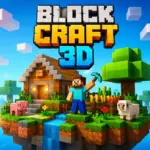


Play Block Craft 3D Online for Free and jump into a colorful world where you can build anything you can imagine. In this fun block-building adventure, you can create houses, castles, gardens, stadiums, and even famous landmarks while collecting materials and exploring your island. The simple controls make the game easy for kids and beginners to enjoy, while the endless building options keep every moment creative and exciting. Whether you want to design a peaceful village or a huge city, Block Craft 3D online gives you plenty of ways to play, create, and have fun.
Game Story
Block Craft 3D does not have a traditional story with a fixed ending. Instead, it is a creative sandbox game where players can build, explore, and enjoy their own adventures at their own pace. New players begin with a simple tutorial in a small model village, where they learn how to place and remove blocks before starting in their own village with a basic hut and a well. From there, the game focuses on creativity, letting players complete quests, unlock new buildings, and visit other villages while building anything from small homes to giant cities and even spaceships.
Developer Info
Block Craft 3D was developed by Fun Games for Free, a studio known for making popular casual mobile games. The game was released for mobile devices in the mid-2010s and quickly became popular because of its colorful block-style design, easy controls, and relaxing gameplay. It was built using the Unity engine and is free to play on both Android and iOS. Over time, the game has received updates and improvements, and it is now associated with Wildlife Studios, which helped keep it visible as a favorite choice for fans of creative building games.
Important Game Details
- Genre: Sandbox and building game
- Gameplay style: Creative, relaxing, and open-ended
- Storyline: No traditional story, with a focus on free building and exploration
- Starting point: A tutorial village that teaches basic block placement and removal
- Main goal: Build your own village, city, or any structure you imagine
- Progress system: Quests, unlockable buildings, and village expansion
- Multiplayer feature: Players can visit other villages
- Platform: Android and iOS
- Engine: Unity
- Price: Free to play
- Best for: Players who enjoy creative building games without combat or pressure
Gameplay Overview
Block Craft 3D is a peaceful sandbox building game where creativity is the main focus. Instead of battling enemies or rushing through dangerous missions, you get to explore a colorful block world and build whatever you like. From cozy homes and farms to tall towers and busy cities, every project lets you shape the world your way. You can also complete quests, earn rewards, unlock new buildings, and visit other players’ creations, which keeps the game fun and fresh without taking away its relaxing feel.
How to Play
Getting started in Block Craft 3D is simple. You begin in a tutorial area that teaches you how to place and remove blocks, then you move on to your own village to start building. As you play, you collect materials, choose where to build, and create structures one block at a time. You can follow blueprints for guided projects or build freely and let your imagination lead the way. Over time, your small village can grow into a lively town filled with unique creations.
Controls
- Mobile: Use the virtual joystick on the left side of the screen to move around.
- Camera: Swipe on the right side of the screen to look in different directions.
- Building: Open the inventory, choose a block, then tap to place it.
- Removing blocks: Press and hold on a block to delete it.
- Desktop: In some versions, you can move with WASD, look with the mouse, and use clicks to place or remove blocks.
- Inventory: Keys like E or I may open the inventory, while number keys can help you switch items quickly.
Key Features
- Build houses, castles, towers, farms, and even large cities with colorful voxel blocks.
- Enjoy a peaceful world with no combat, making the game relaxing and easy to play.
- Complete quests to earn coins and experience points.
- Unlock new buildings, decorations, and village upgrades as you progress.
- Visit friends’ worlds and explore their creative ideas.
- Discover cute pets and animals that make your village feel more alive.
- Use blueprints to learn new building styles and improve your designs.
- Play in a simple, beginner-friendly world with bright graphics and smooth controls.
Game Modes
- Creative Building: Build freely and design anything you can imagine.
- Blueprint Challenges: Follow guided building plans and earn rewards for completing them.
- Free Explore: Walk around the world, gather ideas, and find the perfect place for your next build.
- Offline Solo Play: Enjoy building at your own pace, even when you want a quieter session alone.
Levels and Challenges
Block Craft 3D does not use strict level-based gameplay like many adventure games. Instead, progress comes from earning experience points, completing quests, and unlocking new structures. Each completed project helps your village grow and gives you more tools to create bigger and better designs. Daily tasks and building goals also give you new reasons to keep playing. This makes the game feel rewarding while still giving you plenty of freedom.
Style and Vibe
The world of Block Craft 3D feels bright, friendly, and easy to enjoy. Its soft colors, chunky block designs, and clean menus create a welcoming style that works well for kids and casual players. The game moves at a calm pace, so you can take your time, test new ideas, and enjoy the fun of building without pressure. Everything is designed to keep the focus on creativity.
Tips and Tricks
- Start with a small house or simple building before trying larger projects.
- Use a square foundation, such as 5x5 or 7x7, to keep your layout neat and balanced.
- Try different block colors to make doors, windows, and roofs stand out.
- Add lights early so your buildings stay bright and easy to see.
- Keep your inventory organized so you can find materials faster.
- Focus on quests at the beginning to earn coins and experience points quickly.
- Visit other players’ worlds for ideas and inspiration.
- Use helpful tools like fill or copy-and-paste features when working on larger builds.
- Build upward with temporary blocks when you need to reach high places, then remove them when you are done.
Why Players Like Block Craft 3D
Block Craft 3D is popular because it makes building easy, fun, and relaxing. It gives players the freedom to create their own world without pressure, while still offering enough quests and unlockables to keep things interesting. Whether you want to build a quiet little village or a huge city full of landmarks, this game gives you the tools to turn simple ideas into something special.
3 Games Like Block Craft 3D You Should Try
If you love building, exploring, and creating your own world in Block Craft 3D, these games are great picks to try next. Each one offers fun sandbox-style gameplay that lets you use your imagination, discover new places, and enjoy creative adventures.
- miniBlox — A fun block-style game where you can build, explore, and enjoy lots of creative freedom in a colorful world.
- MineFun.io — A multiplayer building game that lets you explore big maps, create new structures, and have fun with other players online.
- Melon Sandbox — An open-ended sandbox game where you can experiment, create different scenes, and enjoy playful, creative fun your own way.
Block Craft 3D FAQs
Is Block Craft 3D free to play?
Yes, Block Craft 3D is free to play on iOS and Android. It includes optional in-app purchases for coins and gems, but you can still enjoy the game without spending money. You can earn extra rewards by watching ads, completing quests, and playing regularly.
Does Block Craft 3D have a multiplayer mode?
Yes, it does. You can visit your friends’ villages, explore their creations, and share ideas. Some features also let you show your own world to other players.
How can I get more coins and gems?
You can earn more coins and gems by completing daily quests, building special structures, watching ads, and collecting in-game rewards. Some buildings can also help you earn extra coins. Playing often is one of the best ways to gather more resources.
Can I play Block Craft 3D offline?
Yes, you can play the main building and exploration parts of the game offline. This means you can keep creating and improving your village even without an internet connection. However, online features like visiting other players’ worlds require internet access.
Do blocks run out in the game?
Some blocks may have limited uses at certain stages of the game, especially in the beginning. You can refill them by waiting, watching ads, or using gems. In newer versions, many blocks are easier to use, which makes building smoother and more enjoyable.
What is the best way to build faster?
You can build faster by using helpful tools like the fill option and copy-and-paste features when they are available. Planning your design before you start can also save time. For taller buildings, using temporary platforms can help you reach higher areas more easily.
Are there monsters or combat in Block Craft 3D?
No, Block Craft 3D is a peaceful building game. There are no monsters to fight and no battles to win. The game is all about creativity, exploration, and building at your own pace.
How do I complete model buildings or challenges?
To complete model buildings, follow the outlines shown in build mode and place the correct blocks in the right spots. Beginner projects like the well or hut can help you unlock more content early in the game. Daily challenges are also a great way to earn rewards and keep making progress.
Platforms
- Mobile devices: Block Craft 3D is mainly available on mobile, which makes it easy to enjoy on the go.
- Android: You can play it on Android through Google Play.
- iPhone and iPad: The game is also available on iOS through the App Store.
- PC option: There is a Google Play Games on PC listing for the game.
- Other PC methods: Some players also use Android emulators like NoxPlayer or GameLoop to enjoy the game on a bigger screen.
Download Block Craft 3D
Many players like downloading Block Craft 3D so they can start building anytime they want. The game is easy to install on supported mobile devices, and the official app versions are usually the simplest way to get started. Once installed, you can explore, build, and grow your world with smooth controls and regular updates.
PC and APK Options
If you want to play Block Craft 3D on a computer, there are a few options that can help you enjoy the game on a larger screen. Some players use PC tools that support mobile apps, which can make building feel more comfortable during longer play sessions. You may also find APK versions for Android on other platforms, but official download sources are usually the safest and most reliable choice for updates, performance, and account security.
Conclusion
Block Craft 3D is a creative and relaxing building game that gives players the freedom to explore, design, and grow their own colorful world. With simple controls, fun quests, helpful features, and plenty of room for imagination, it offers an enjoyable experience for kids, beginners, and anyone who loves sandbox games. Whether you want to build a small village, visit friends’ worlds, or create something huge and exciting, Block Craft 3D makes every building idea feel fun and rewarding.

