

 Loading...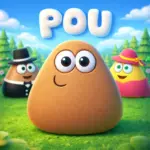










Play Pou Online for Free and enjoy a cute virtual pet adventure loved by players around the world. In the Pou game, you take care of a friendly little alien by feeding him, cleaning him, dressing him up, and keeping him happy each day. You can also play fun mini-games, collect coins, and unlock cool items to give Pou his own special style. With simple controls, colorful visuals, and relaxing gameplay, Pou is a great choice for kids and anyone who enjoys sweet, easy-to-play games full of charm.
Pou Story
Pou does not have a deep storyline with big twists or long adventures. Instead, the game is all about caring for a cute little alien named Pou in his cozy spaceship home. You feed him, clean him, play mini-games with him, and help keep him happy every day. That simple and cheerful idea is one of the main reasons why the Pou game is so fun for kids and casual players. Some fans like to imagine that Pou came from another planet or crash-landed on Earth, but those are only fan ideas and are not part of the official game.
Developer
Pou was created by Lebanese indie developer Paul Salameh through his company, Zakeh Limited. He developed the game himself, working on the concept, coding, art, and design. Pou was released on August 5, 2012, for iOS, Android, and BlackBerry 10. Before creating Pou, Paul Salameh made another game called Persian Maze, which did not achieve the same success. Pou became a huge hit and grew into one of the most popular virtual pet games, reaching more than 500 million downloads by 2017.
Important Game Details
- Genre: Virtual pet simulation
- Main character: Pou, a cute alien pet
- Gameplay: Feed, clean, dress up, and care for Pou
- Extra fun: Play mini-games and earn coins
- Style: Simple, colorful, and easy for kids to enjoy
- Developer: Paul Salameh
- Company: Zakeh Limited
- Release date: August 5, 2012
- Platforms: iOS, Android, and BlackBerry 10
- Popularity: More than 500 million downloads by 2017
Pou Gameplay
Pou is a simple and enjoyable virtual pet game where you look after a cute little alien every day. Your main goal is to keep Pou happy by feeding him, cleaning him, letting him rest, and giving him fun things to do. The gameplay is easy to understand, which makes it a great fit for kids and casual players. As you spend more time with Pou, you earn coins, unlock new items, and watch your pet grow.
How to Play Pou
Start by checking Pou’s needs, such as hunger, health, energy, and fun. Feed him when he is hungry, wash him when he gets dirty, and let him sleep when he feels tired. After that, head to the game room and play mini-games to earn coins. You can use those coins to buy clothes, food, wallpapers, and other fun items. Caring for Pou regularly helps you level up and unlock more content.
Controls
Pou is easy to play on different devices.
Mobile and Tablet:
Tap and drag items with your finger to interact with Pou and the game menus.
Desktop:
Use your mouse to click on rooms, food, clothes, and other items. Some mini-games may also use the keyboard, such as the arrow keys or WASD keys.
Voice Feature:
In some versions, you can speak to Pou, and he will repeat your words in a funny voice.
Key Features
- Pou includes many fun features that make the game more exciting.
- Take care of Pou by feeding, washing, and helping him sleep
- Play mini-games to earn coins and improve your scores
- Unlock outfits, glasses, hats, and wallpapers
- Level up as you continue caring for Pou
- Complete achievements for extra rewards
- Enjoy colorful visuals, cute animations, and cheerful sounds
Levels and Progression
Pou does not have traditional stages or worlds. Instead, you make progress by earning experience points through daily care, mini-games, and achievements. As your level increases, more items and customization options become available. This gives the game a steady sense of progress while keeping the experience relaxed and fun.
Style and Vibe
Pou has a bright and friendly design that makes it feel welcoming right away. The rounded shapes, playful sounds, and smooth animations create a cozy and cheerful mood. Every action, from giving Pou a bath to dressing him up, feels light, fun, and satisfying.
Game Modes
Pou mainly focuses on daily pet care and mini-game fun. You can spend time keeping Pou’s needs full, trying to beat your high scores, and collecting coins for rewards. Some mini-games may also include score-based or time-based challenges, which add more variety to the experience.
Tips and Tricks
Here are a few helpful tips for playing Pou:
- Keep Pou’s needs balanced so he stays happy and healthy
- Play mini-games often to earn more coins
- Focus on your best mini-games to collect rewards faster
- Complete achievements early for bonus progress
- Spend coins wisely on useful items and favorite decorations
- Check in regularly to keep Pou in good shape
Unlockables and Customization
One of the most fun parts of Pou is making your pet look unique. As you play, you can unlock clothes, hats, glasses, wallpapers, and other decorations. These items let you give Pou a style that matches your own taste and make the game even more enjoyable.
Cheats and Mods
There are no official cheats for Pou. It is best to avoid unofficial mods, coin generators, or suspicious downloads. These can cause problems with your device or your game. The safest way to play is to earn rewards through normal gameplay and enjoy the progress as you go.
Why Kids Enjoy Pou
Kids enjoy Pou because it is cute, easy to play, and full of fun little activities. The game mixes pet care, mini-games, and customization in a simple way that never feels confusing. That is why Pou remains a favorite choice for players who want a relaxing and charming game.
3 Games Like Pou You Can Enjoy
If you love the cute and relaxing world of Pou, there are plenty of other fun games that offer a similar feeling. These games are easy to play, colorful, and full of lighthearted fun, which makes them great for kids and casual players.
Animals Minigame Party
This cheerful game is a wonderful choice for players who enjoy cute characters and fun mini-games. Its playful style and simple gameplay make it a great match for fans of Pou.
Monkey Mart
Monkey Mart is a charming and relaxing game with adorable visuals and smooth controls. It focuses on running a small shop, but it still has the same easygoing and satisfying gameplay that many Pou players enjoy.
Papa’s Cupcakeria
Papa’s Cupcakeria is a fun and colorful cooking game that is easy to learn and enjoyable to play. It is not a pet care game, but it shares the same friendly style, simple mechanics, and rewarding progress that make Pou so appealing.
Frequently Asked Questions About Pou
What is Pou?
Pou is a fun virtual pet game where you take care of a cute little alien. You can feed him, clean him, play mini-games, and dress him up while helping him stay happy and healthy.
How do I feed and care for Pou?
Go to the kitchen to choose food for Pou when he feels hungry. You should also keep him clean, let him sleep when he is tired, and make sure his fun, health, and energy stay at good levels.
How does Pou level up?
Pou levels up when you care for him, play mini-games, and complete tasks in the game. As he gains experience, you unlock more items and features to enjoy.
What are the best mini-games for coins?
Popular mini-games for earning coins include Sky Jump, Hill Drive, Food Drop, and Pou Popper. The better you play, the more coins you can collect.
Why does Pou get sick or sad?
Pou can feel sick or sad if his needs are ignored for too long. When he is hungry, dirty, bored, or tired, you need to take care of him to help him feel better.
How do I customize Pou and his rooms?
You can spend the coins you earn on clothes, hats, glasses, colors, wallpapers, and other decorations. This makes it easy to give Pou and his home a fun and personal look.
Can I play with friends or save my progress?
Some versions of Pou let you visit friends’ pets and enjoy extra social features. You may also be able to save your progress on different devices by linking your account.
What are achievements, and how can I progress faster?
Achievements are special goals that reward you for completing certain tasks. To progress faster, play often, care for Pou every day, and focus on mini-games that give good coin rewards.
Pou Platforms and Download Guide
Pou is mostly played on mobile devices, which is where the game became so popular. You can enjoy it on Android and iOS, and some browser versions also let you play online without downloading anything. If you want to play on a computer, there is no official PC version, but you can still enjoy the game by using an Android emulator such as BlueStacks or LDPlayer. This is an easy way to play Pou on a larger screen with mouse and keyboard support.
How to Download Pou
Many players prefer to download Pou for a smoother and more convenient experience. The game is easy to install on different devices.
For Android:
Open the Google Play Store, search for Pou, and tap Install.
For iPhone and iPad:
Open the App Store, search for Pou, and tap Get.
For PC:
To play Pou on a computer, use an Android emulator like BlueStacks or LDPlayer. First, install the emulator on your PC. Then open Google Play inside the emulator, search for Pou, and install the game. This allows you to play with keyboard and mouse controls.
Important Note About APK Files
Some players search for APK files to install Pou manually. If you choose that option, be careful and only use trusted sources. Unofficial download sites may contain unsafe files or cause problems with your device. Since Pou does not have an official APK website, downloading it from the Google Play Store or the App Store is usually the safest and easiest choice.
Conclusion
Pou remains one of the most charming virtual pet games because it combines simple care mechanics, fun mini-games, and lots of customization in one friendly experience. Whether players want a relaxing game for short breaks or a cute pet to look after every day, Pou offers plenty of lighthearted fun. Its easy controls, colorful style, and rewarding progress make it a great pick for kids and casual players who enjoy cheerful games that are easy to come back to again and again.

